Chrome extension · 27 settings
HoloAlmanac Toolkit for eBay
Browse eBay. Better.
Every feature, tab by tab, exactly as it appears in the licensed extension. Switches show each default and don't save anything here.
Quick search, Saved searches, Appearance, and Sign in work without a license. A lifetime license includes the rest of the Toolkit. Sold results in the side panel load only when you click Sold.
Not affiliated with eBay Inc.
From the Toolkit
Real panels from HoloAlmanac Toolkit for eBay, captured on local fixture pages — not live marketplace screenshots. These shots show the Toolkit with a license activated. Where prices or Card Ladder values appear, they are example data.
-
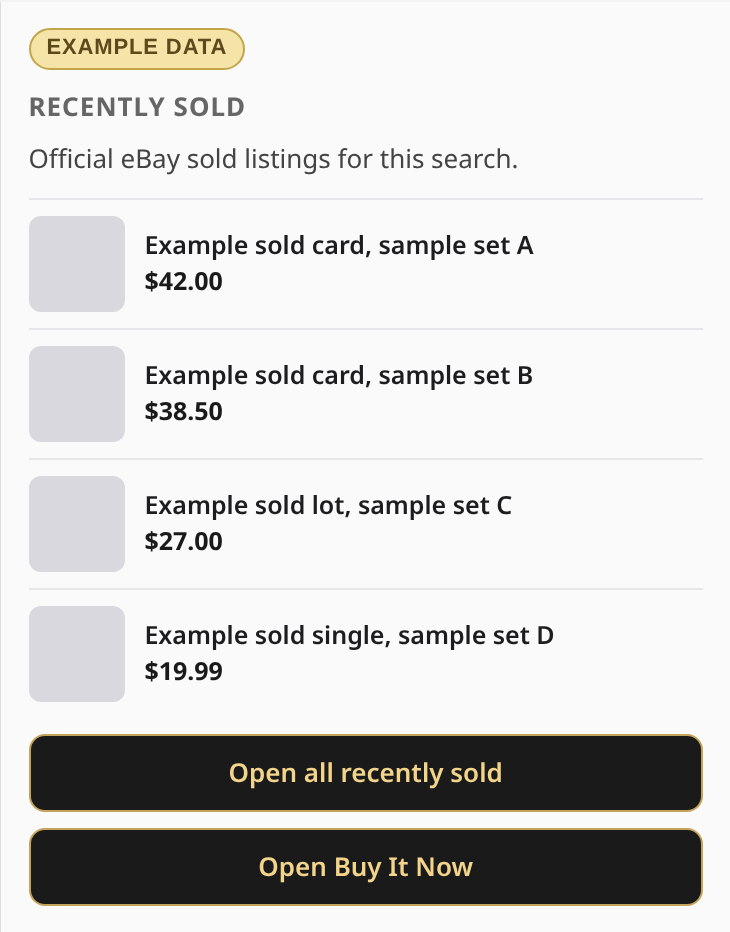
Sold results in the side panel, with example prices. Sold listings load in your browser when you ask for them. -
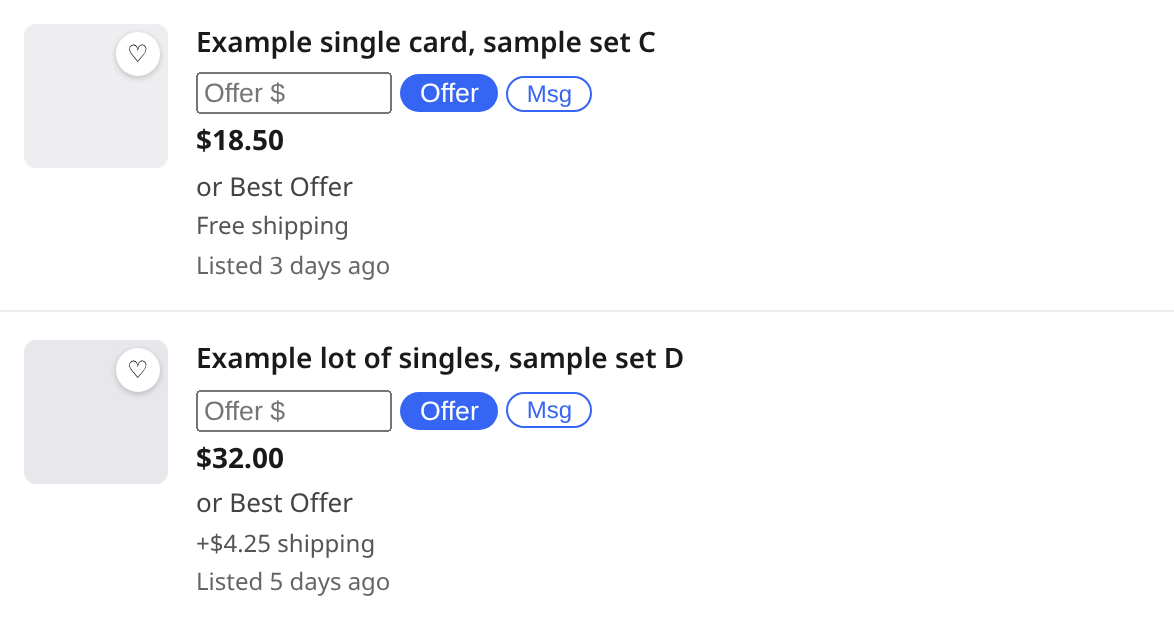
Offer and Message fill controls on each listing card. You enter an amount or pick a message, then send it through the marketplace's own forms. -
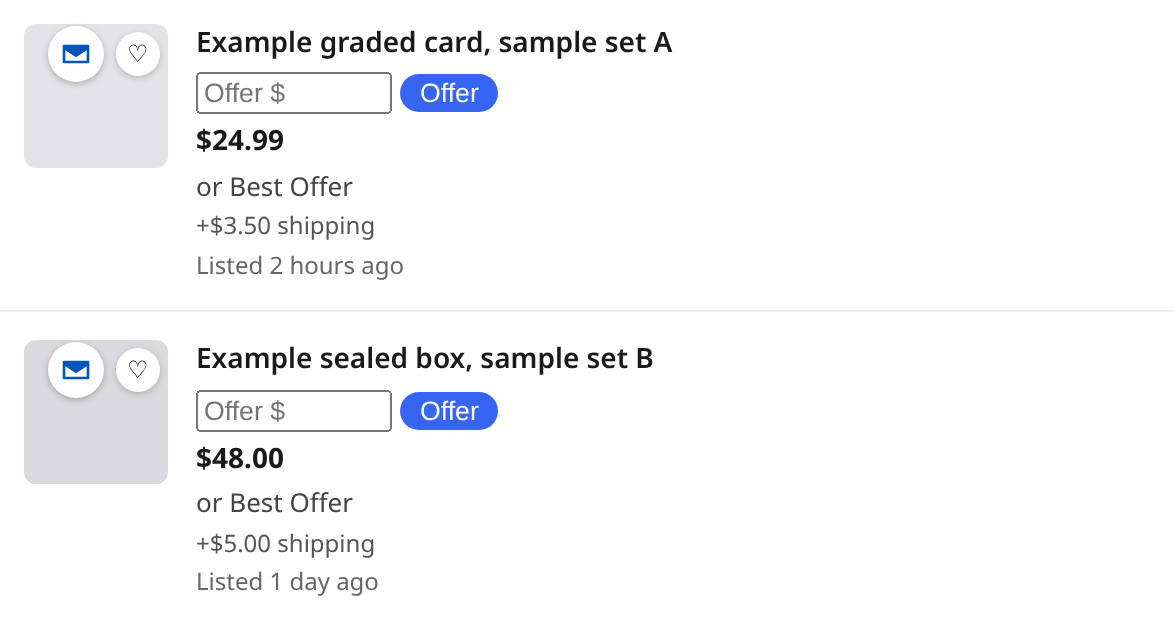
The messages icon appears on listing cards you have already messaged about. Message contents are not shown. -

Purchase insights and the optional Card Ladder panel, populated with example data kept on this computer. -

Search page layout tools: price sort, format tabs, and a control to collapse the filters sidebar. -
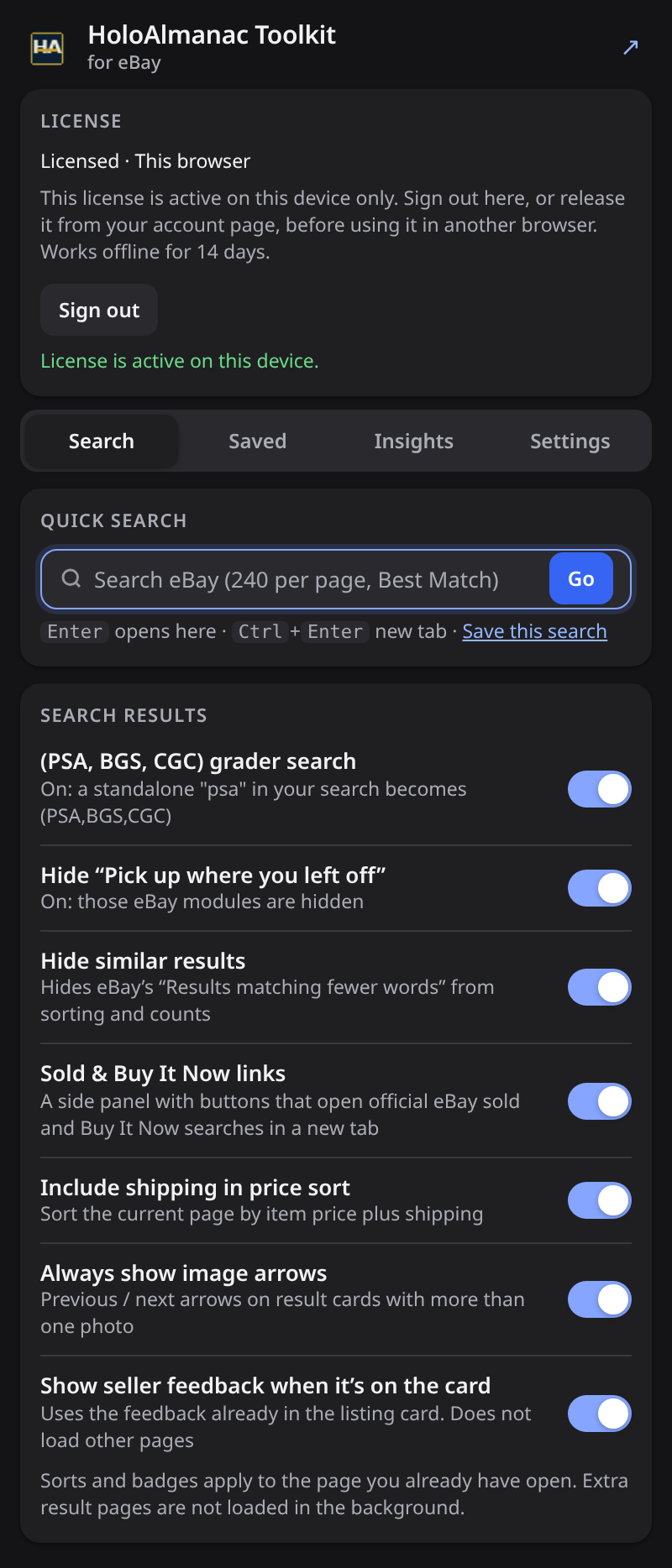
The toolbar popup, Search tab, with the license activated. -
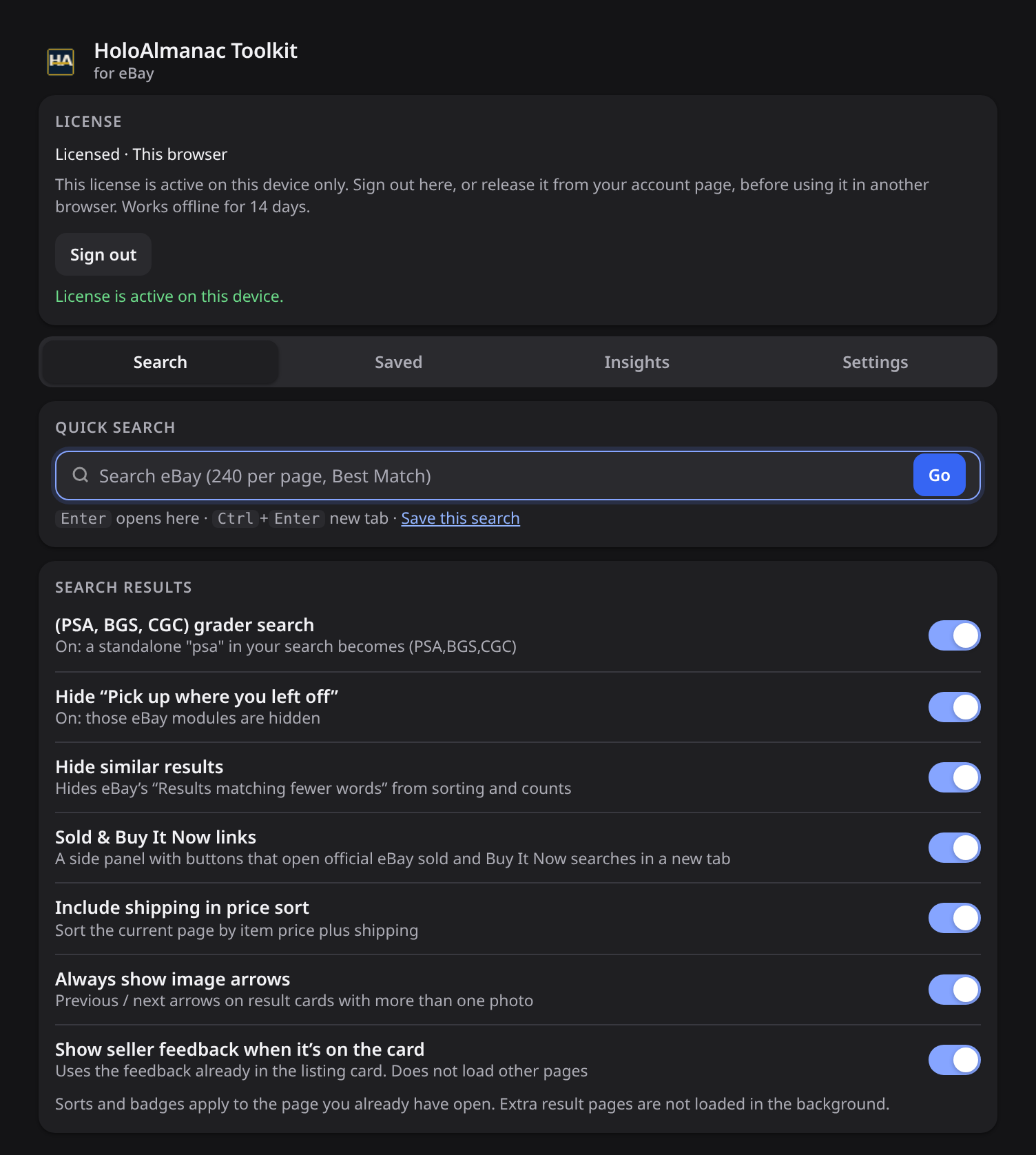
The options page, Search tab, with the license activated.


Search
Quick-search eBay, sort by price with shipping, and open official Sold and Buy It Now searches.
Message offer
-
Offer amountEmpty = use the recent-sales suggestion. When set, every Msg preview uses it as {offer}; you can still change it per message. $auto
Quick search
-
Search fieldSearch eBay (240 per page, Best Match) Search eBay
-
GoEnter opens the search here; Ctrl+Enter or middle-click opens a new tab Go
-
Save this searchJumps to Saved and asks for a name for this search Save this search
Search results
These settings apply to the search page you already have open. Extra result pages are not loaded in the background.
Saved
Save an eBay search, name it, and open it again in one click.
Save or filter
-
Type a search to save, or filter savedTyping filters your list; submitting saves a new 240-per-page, Best Match search Type a search to save, or filter saved
-
SaveSaves what you typed, then asks for a name Save
-
NameName this search (up to 80 characters). Duplicates are refused; Esc or Cancel closes it Name this search
-
+ Save current eBay searchSaves the eBay search tab you're on, with tracking bits stripped. Off until an eBay search is open + Save current eBay search
Saved searches click = open · Ctrl/⌘-click = new tab
-
Saved searchesEach row shows its name and filters (Sold, Auction, Buy It Now, Best Offer, sort). Move up/down, rename or delete 4 saved (sample)
Insights
Local purchase insights from My eBay pages you open yourself, with an optional Card Ladder connection. Nothing is sent to this site except the license check.
Spending by set and grader, averages, and optional ROI are worked out only from pages you open, and kept in chrome.storage.local on your computer.
Purchase history
Reads only the My eBay pages you actually open. The extension never fetches those pages in the background, and never uploads them.
Card Ladder
Off by default. You connect your own Card Ladder account. Purchase data stays on your computer.
Settings
Theme, message presets, and search-page layout.
Appearance
-
Color themeDark, Light or System. eBay pages, side panels and this toolkit; open eBay tabs update immediately Dark ▾
Seller messages
-
Offer amountSame setting as Search → Message offer. Empty = use the recent-sales suggestion $auto
-
Offer % of recent sales{offer} = this % of {comp} (1–100), rounded to $5 / $25 / $50. You can change it in the preview 90
Message presets
-
Message presetsYour message templates. + Add preset, Save, or Reset to defaults (two starter presets) + Add preset
{comp}{offer}{price}{title}{itemId}
{comp} is the median of matching Recently sold (same grader, grade, edition, card #; 3+ sales). Every message opens a preview you can edit.
Search page layout
Illustration of the extension's settings with sample data. Switches show each feature's default and don't save anything here.
Also on eBay pages
Not a settings tab. These run on eBay search and item pages once the Toolkit is installed.
Search pages
-
240 results per page, gallery viewEvery eBay search opens with 240 results and the gallery layout, in one clean redirect
-
Re-sort Best Match by priceSorts the current page by price, with or without shipping
-
Best Offer tabAdds a Best Offer tab next to All / Auction / Buy It Now
-
Days listed on every card“Listed 5d · Oct 12” on each result, with a NEW badge on fresh listings
-
Sold and Buy It Now linksA side panel with buttons that open official eBay Sold and Buy It Now searches in a new tab
-
Clean page changesPaging and in-page filter changes reload cleanly so every tool stays in sync
Less clutter
-
Hide eBay Live promosRemoves eBay Live event banners from search pages
-
Hide the Goldin promo carouselRemoves the “Find it on Goldin” strip that links off eBay
-
Hide sponsored carouselsRemoves recommendation and sponsored rows inside results, plus the floating feedback button
-
Tidy eBay homepageSame clean-up on the eBay homepage
Listings and item pages
-
Offer buttonOffer amount + button on Best Offer listings. It only opens eBay's own offer flow
-
Msg button with presetsPick a preset, preview and edit, then send through eBay's own contact-seller flow
-
Your eBay activity on listingsShows if you're watching, bidding on or made an offer on a listing. Read-only
-
Non-US sellers blocked from Offer/MsgListings outside the United States don't get Offer or Msg buttons
-
Local purchase insightsWhen you open My eBay purchase pages, the Toolkit can show spending by set and grader, kept only on this computer
-
Dark theme on eBayThe Toolkit's dark theme is applied to eBay pages and side panels
What’s included with a license
Quick search, Saved searches, Appearance, and Sign in work without a license. Everything else in this table is included with a $29 lifetime license. Sold results in the side panel load only when you click Sold.
| Feature | Without a license | With a license ($29 lifetime) |
|---|---|---|
| Quick eBay search | Included | Included |
| Saved searches | Included | Included |
| Appearance (theme) | Included | Included |
| Sign in and license status | Included | Included |
| Search results tools (sort by price plus shipping, grader search, hide clutter, days listed, Best Offer tab, seller feedback) | License required | Included |
| Sold results in the side panel | License required | Included (loads in your browser when you click Sold) |
| Search page layout | License required | Included |
| Offer fill (you click Review / Send) | License required | Included |
| Seller message fill and presets (you click Send) | License required | Included |
| Purchase, watch, and bid insights (local only) | License required | Included |
| Show Card Ladder values on purchases | License required | Included (opt-in, off by default; Chrome asks for permission when turned on) |
| Mailbox preview | License required | Included |